
How to Nudge in Logic Pro X
If you need to move your region just a tiny amount then you need Logic's nudge function.
Have you ever recorded something and it has been out of time? I definitely have (and still do). Normally this isn’t an issue as you can easily quantize your performance.
Sometimes however you want a more natural performance but just want to adjust the timing a tiny amount. This is where ‘nudge’ comes in.
What is the Nudge Function
The nudge function enables you to move regions (and notes) in small increments. This means that if a region or note is out of time you can nudge it to correct the issue.
How to Set Nudge Value
Select the regions that you want to move.

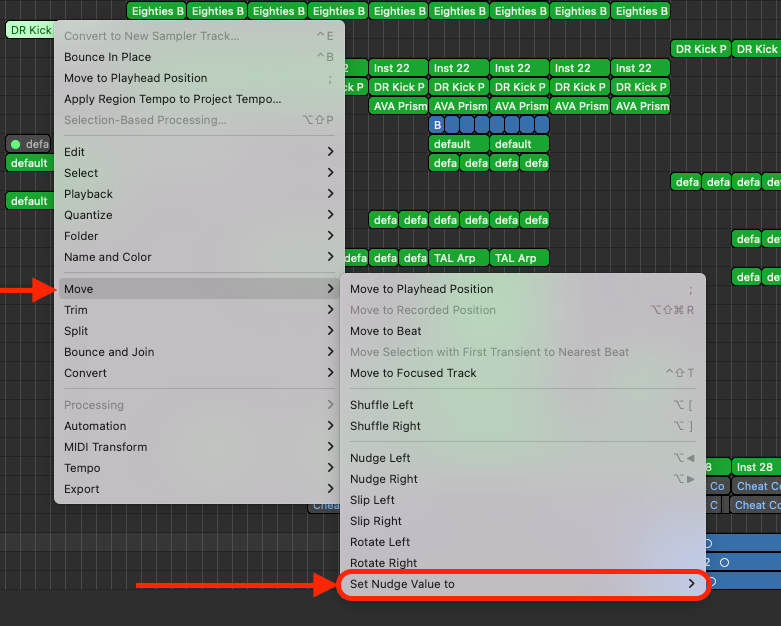
Right-click on your selected regions and select “Move > Set Nudge Value to…”
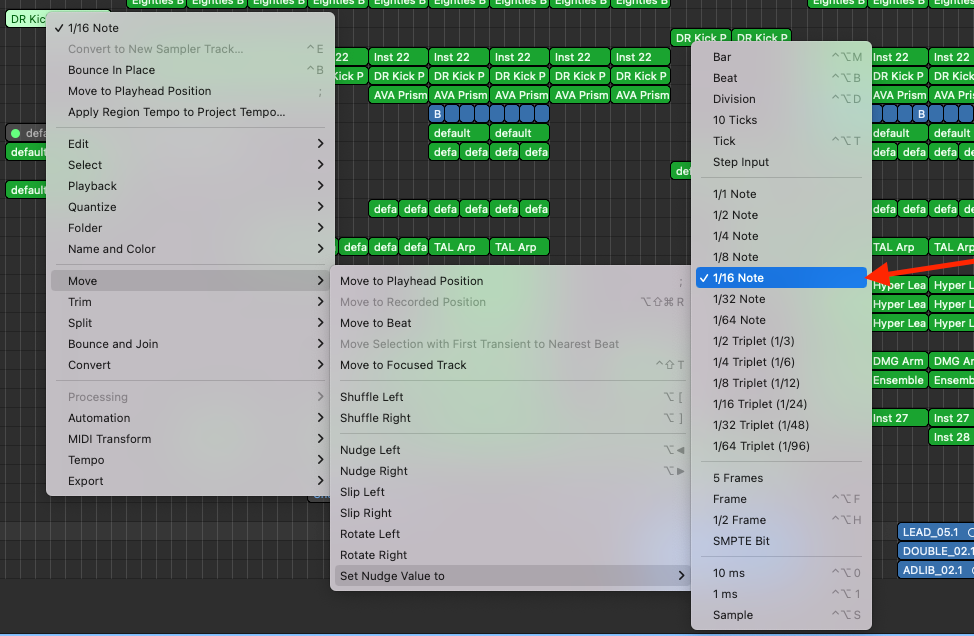
Choose the nudge value you need.
How to Nudge Notes
There are two ways to nudge your regions in Logic. The first is to use hotkeys (keyboard shortcuts) and the second is to use the right-click menu.
Nudge Using Keyboard Shortcuts
The keyboard shortcut to nudge is “Alt+[arrow key]”. This will nudge your selected region by the increment you have chosen.
“Alt+➡” will nudge the region to the right.
“Alt+⬅” will nudge the region to the left.
Nudge Using the Menu
Select and right-click the region(s) you want to nudge. Click “Move>Nudge [Left or Right]”
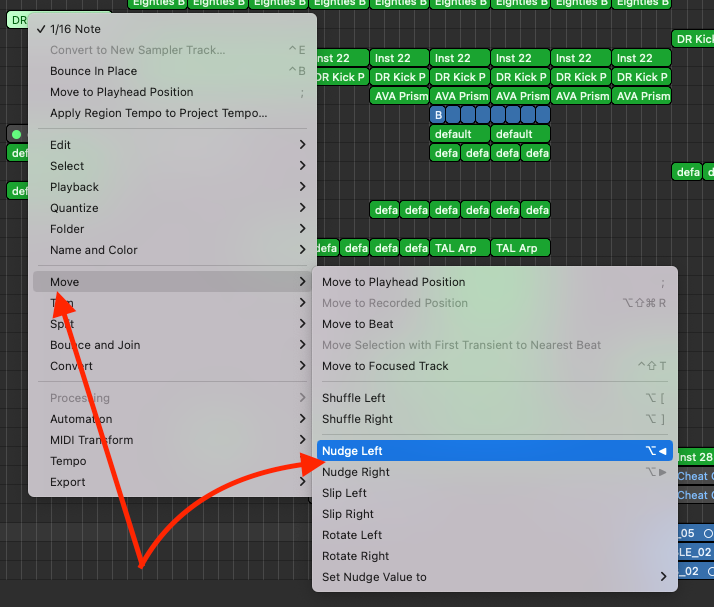
How do I Nudge MIDI
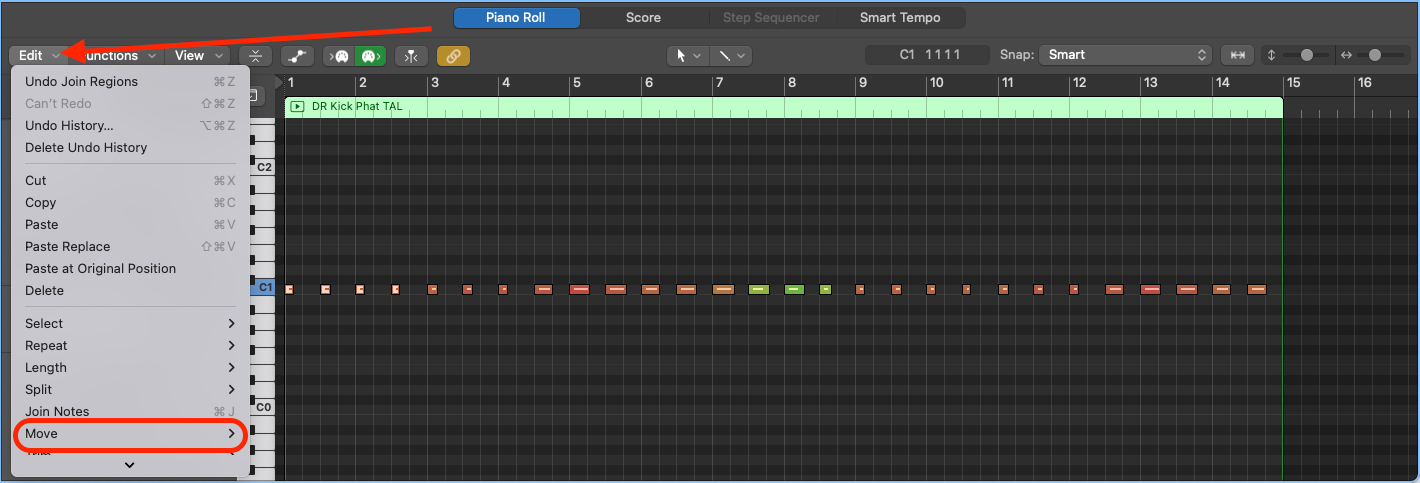
Nudging MIDI in Logic is much the same as if you were to nudge regions in the arrange window.
- Select the region you want to edit
- Select the MIDI notes you want to move
- Click “Edit” in the piano roll menu
- Select “Move > Nudge [left/right]”
Related: 5 Logic MIDI Hacks You Are Not Using Enough

Happy composing!Rich
Read next
- Auto Colour Tracks in Logic
Do you want to make your Logic Pro session easier to navigate and at the same time make it look like an artist's paint palette? Then you need 'Auto-assign track colours'! Let me show you...
- How to Send a Logic Pro X Project
I frequently need to send Logic projects to other composers for collaborations and for recording sessions when I record with an orchestra. It is very simple to do, you just have…
- How to Create a Click Track In Logic Pro X
Sometimes you need to have the click created as a track in logic so that you can share the printed audio file with other producers. Let me show you how to do this.
- How to Colour Markers in Logic Pro X
When creating an arrangement of a piece of music or a song it is really important to be able to quickly and easily navigate around the individual sections. That is where coloured markers can come in handy.