
How to Delete Plugins in Logic Pro X
Maybe a plugin is causing Logic issues or maybe you just want to remove some of your unused plugins. Let me show you how to get rid of those in Logic.

In this article, I will show you how to delete plugins in Logic Pro X.
Should I Delete Plugins?
There are two reasons you may want to remove plugins.
- To remove a plugin that has compatibility issues
- To save space on your HD
- You just don’t like hanging on to things you don’t use
If any of these three things apply then yes, delete the plugins. Otherwise, keep them and build a library of tools that you can use in your music production.
My experience has been that I have had to remove the plugins that are causing issues with Logic. Which is a pain because I am usually excited to try out the new audio toy.
How to Remove Plugins in Logic
Deleting plugins in Logic is extremely straightforward.
The easiest way to do it is actually using the Finder on your Mac.
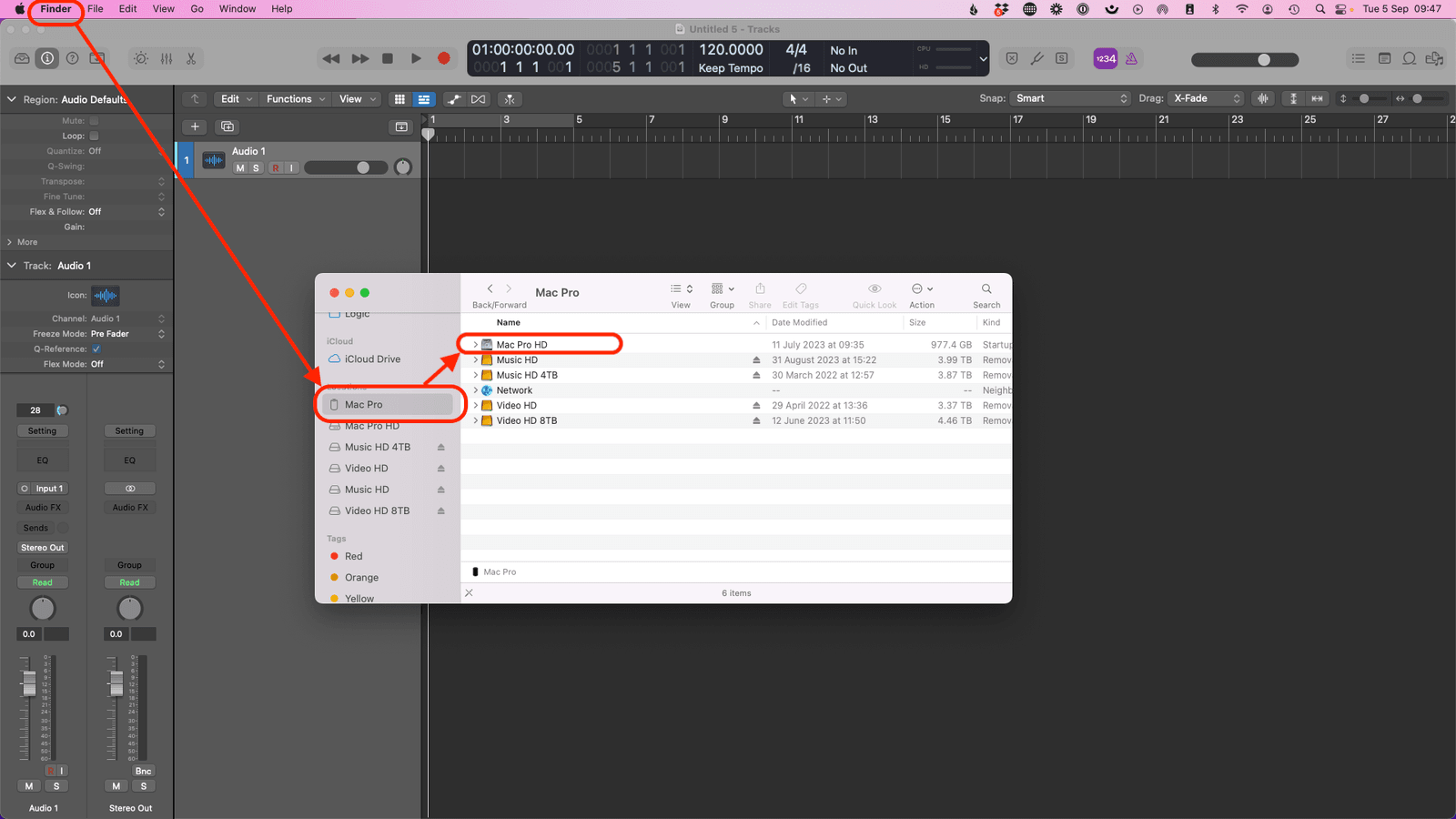
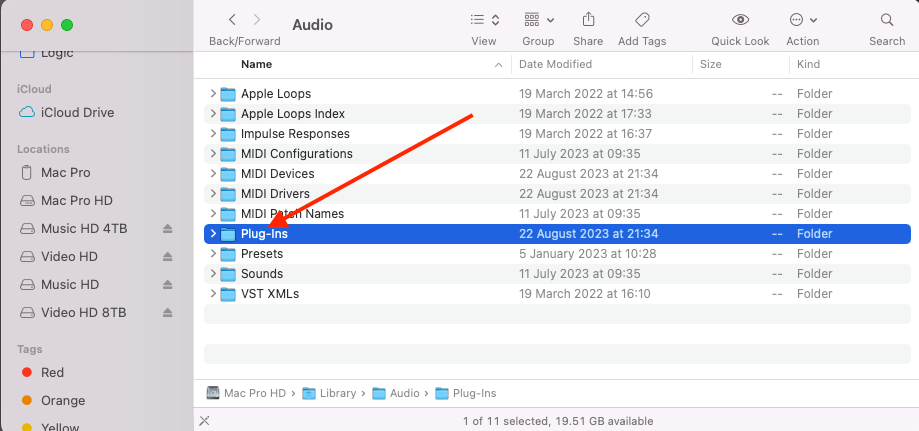
Open “Finder” and select your HD drive (in my case it is Mac Pro HD)
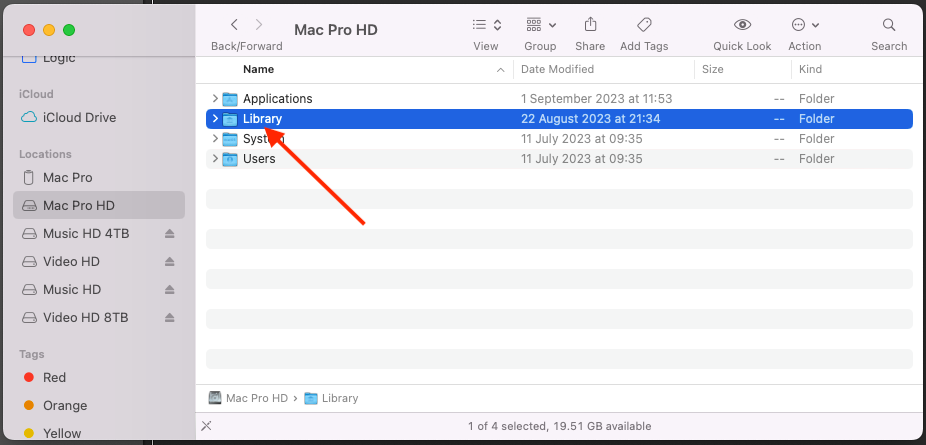
Select “Library”
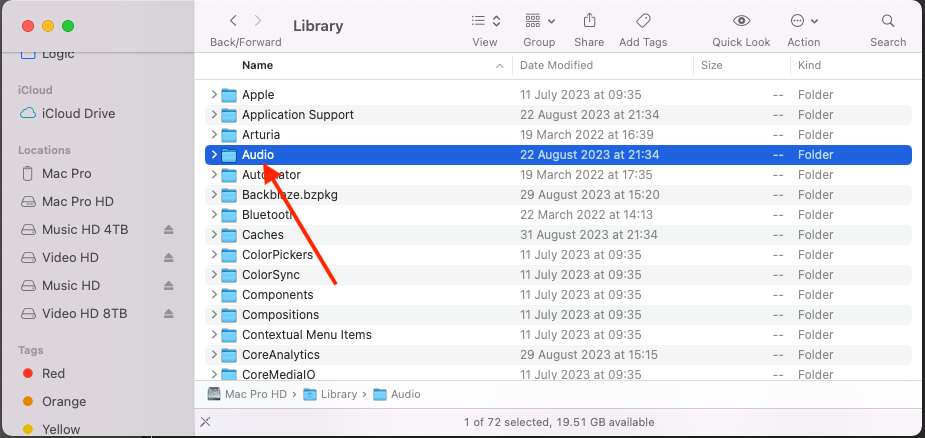
Select “Audio”
Select “Plug-ins”
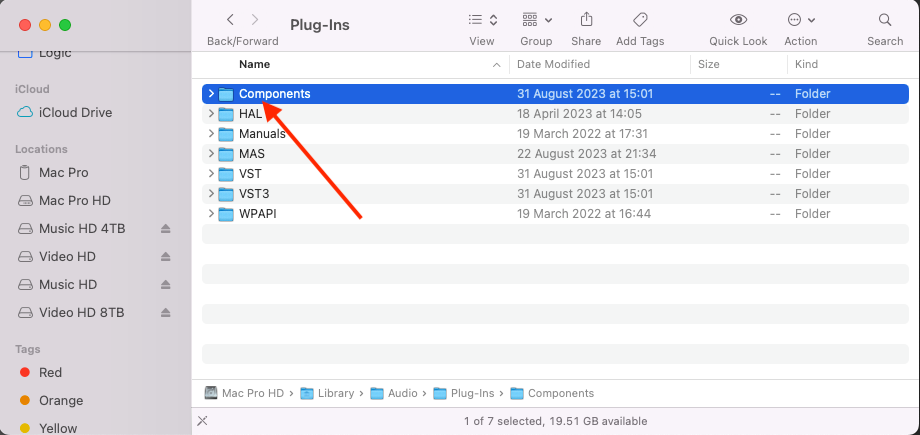
Select the type of plug-in you are looking to delete. In this case, I am choosing “Components”
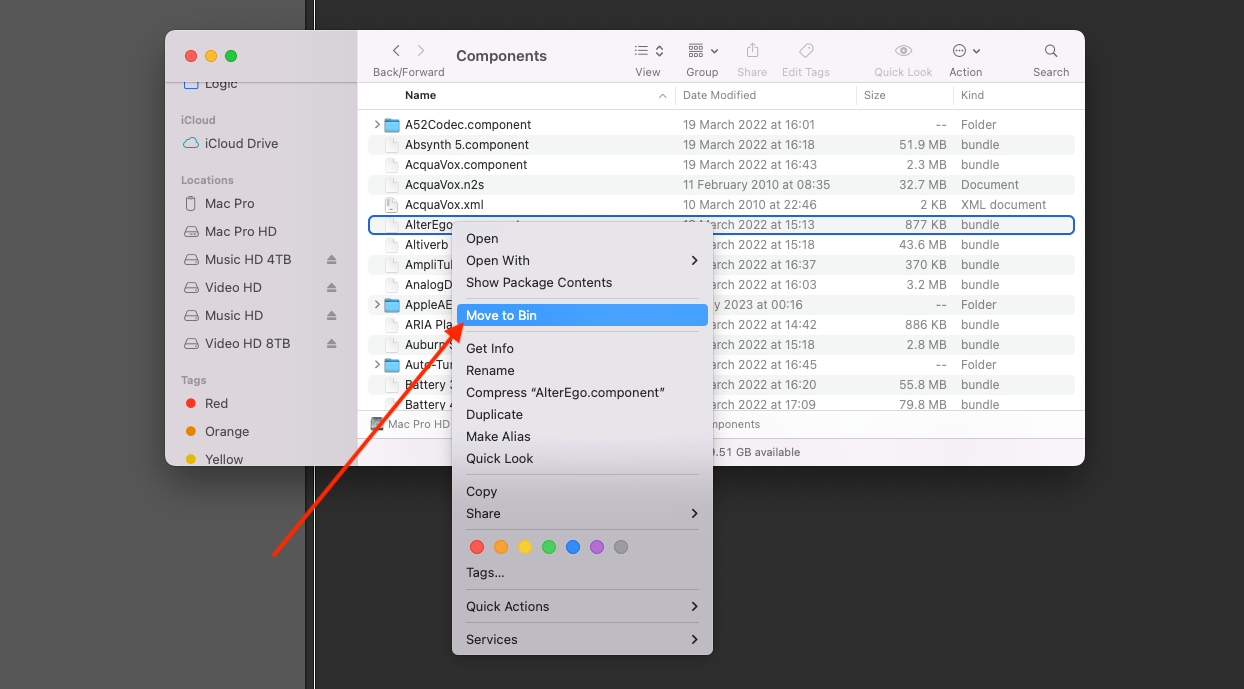
Right-click on the unwanted plug-in and click “Move to Bin” (or just drag it into the Bin.

Happy composing!Rich
Read next
- Auto Colour Tracks in Logic
Do you want to make your Logic Pro session easier to navigate and at the same time make it look like an artist's paint palette? Then you need 'Auto-assign track colours'! Let me show you...
- How to Send a Logic Pro X Project
I frequently need to send Logic projects to other composers for collaborations and for recording sessions when I record with an orchestra. It is very simple to do, you just have…
- How to Create a Click Track In Logic Pro X
Sometimes you need to have the click created as a track in logic so that you can share the printed audio file with other producers. Let me show you how to do this.
- How to Colour Markers in Logic Pro X
When creating an arrangement of a piece of music or a song it is really important to be able to quickly and easily navigate around the individual sections. That is where coloured markers can come in handy.