
How to add reverb in Logic Pro X
In this post, I show you how to add reverb in Logic Pro X. Does Logic Pro have reverb? Yes. Logic comes with several different reverb plugins built-in: * Chromaverb - an…
In this post, I show you how to add reverb in Logic Pro X.
Does Logic Pro have reverb?
Yes. Logic comes with several different reverb plugins built-in:
- Chromaverb - an algorithm-based reverb plugin
- Enverb
- Silververb
- Space Designer - Impulse Response convolution reverb
How do I add a reverb effect?
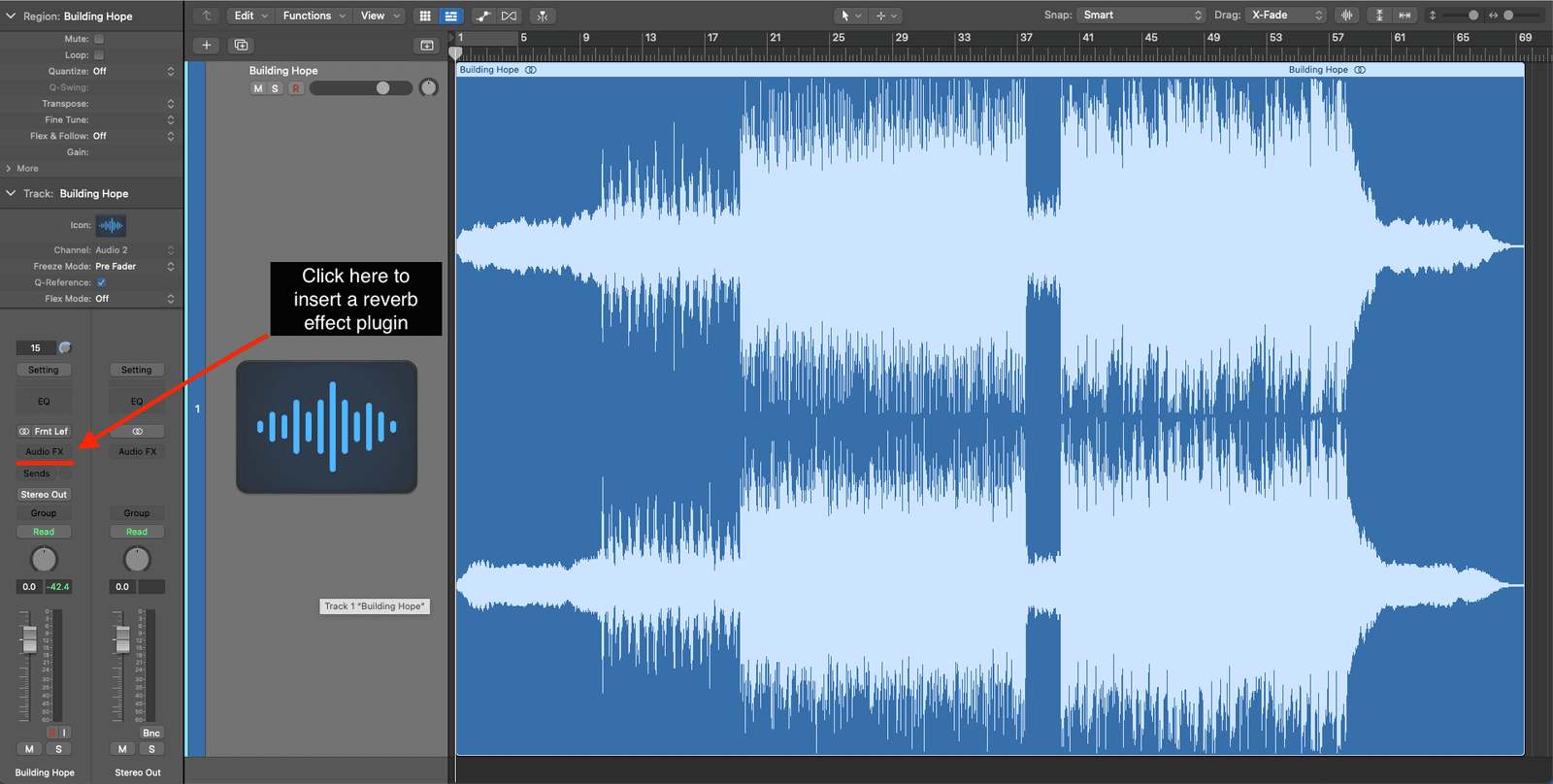
To add reverb you insert an audio effect plugin into the channel strip you want to add reverb.
First, click on the ‘Audio FX’ button on the channel strip.
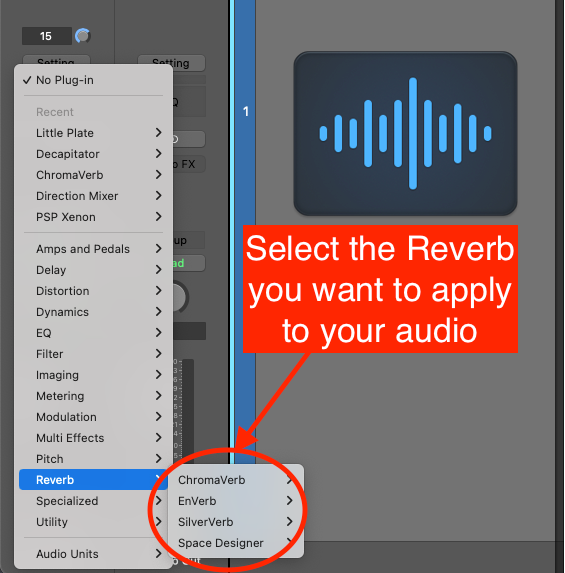
Then select the reverb you want to apply to your channel strip.
How do I add audio reverb?
To add reverb to an audio file in Logic is the same process as above.
Insert a reverb effect plugin into the audio channel strip. Click on ‘Audio FX’ and select the desired reverb effect.
This will then add reverb to your audio channel strip.
How do you add an echo effect in Logic Pro X?
To add an echo effect in Logic Pro X click on ‘Audio FX’ on the channel strip and select Delay > Echo > Stereo.
This will add a simple echo effect plugin to that channel strip.
Keep on Rocking!

Happy composing!Rich
Read next
- Beyond the Echo: How Reverb Adds Depth and Emotion to Music
Reverb shapes the way we perceive sound and is one of (if not the) most powerful tools at our disposal.
- Auto Colour Tracks in Logic
Do you want to make your Logic Pro session easier to navigate and at the same time make it look like an artist's paint palette? Then you need 'Auto-assign track colours'! Let me show you...
- How to Send a Logic Pro X Project
I frequently need to send Logic projects to other composers for collaborations and for recording sessions when I record with an orchestra. It is very simple to do, you just have…
- How to Create a Click Track In Logic Pro X
Sometimes you need to have the click created as a track in logic so that you can share the printed audio file with other producers. Let me show you how to do this.