
How to Bounce Stems in Logic Pro X
When working in any DAW it is important that you not only know what stems are but also how to bounce and/or export them. In this post, I am going to show you how to make, bounce,…

When working in any DAW it is important that you not only know what stems are but also how to bounce and/or export them. In this post, I am going to show you how to make, bounce, and export your stems in Logic Pro X.
How to Make Stems in Logic Pro X
The first step is to make sure that you have properly collated your stems. This means that you have grouped all of your sounds together in either similar articulations, instrument, or instrument family groups.
For example, you would make a ‘stem’ of all of your keyboard instruments; piano, tuned percussion, synths etc.
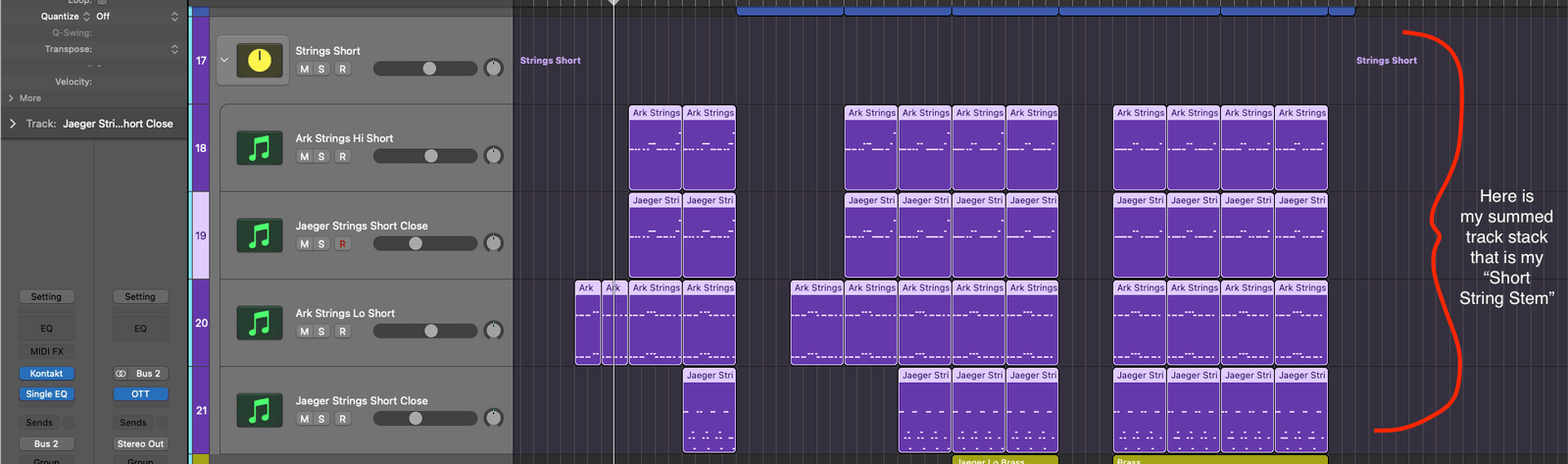
To make a stem in Logic Pro,
- Select all the channels that you want to include in the stem
- Right-click on any of the channels, this will bring up a menu
- Click on Create Track Stack…
- Select Summing Stack
This will then put all of those selected channels through a send that is added to your arrange window.
This is your stem.
How Do I Bounce Stems With Bus Effects and Sends in Logic?
Once you have created your stems using track stacks you can then export them in whatever format you please (MP3, WAV, AIF etc).
- Click on the stem channel in the arrange window
- This will highlight all the regions within the stem
- Solo the stem channel
- CMD+A to Select all regions
- CMD+B to bounce the soloed stem in the format you choose
Happy Producing!

Happy composing!Rich
Read next
- Auto Colour Tracks in Logic
Do you want to make your Logic Pro session easier to navigate and at the same time make it look like an artist's paint palette? Then you need 'Auto-assign track colours'! Let me show you...
- How to Send a Logic Pro X Project
I frequently need to send Logic projects to other composers for collaborations and for recording sessions when I record with an orchestra. It is very simple to do, you just have…
- How to Create a Click Track In Logic Pro X
Sometimes you need to have the click created as a track in logic so that you can share the printed audio file with other producers. Let me show you how to do this.
- How to Colour Markers in Logic Pro X
When creating an arrangement of a piece of music or a song it is really important to be able to quickly and easily navigate around the individual sections. That is where coloured markers can come in handy.